
Google Play Store PC
Google Play is Google's digital distribution platform. On Windows, Google offers Play content through the browser and Google Play Games on PC.
52.9 MB
Rufus is a free Windows utility that turns a USB stick into a bootable installer. The current version is 4.15.
Average 0.0 · ratings: 0
Thank you! Your rating is saved; you can change it. Could not save the rating. Please try again later. Too many ratings from your network today. Please try again tomorrow. The average appears after 5 ratings.
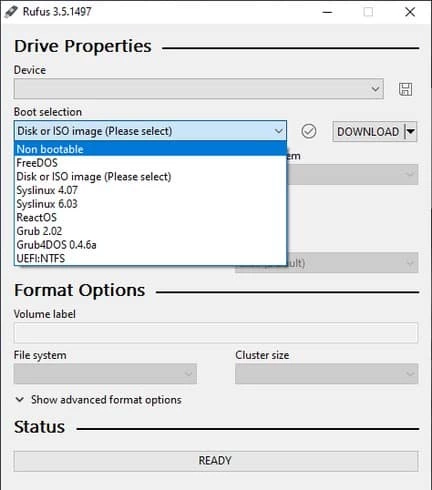
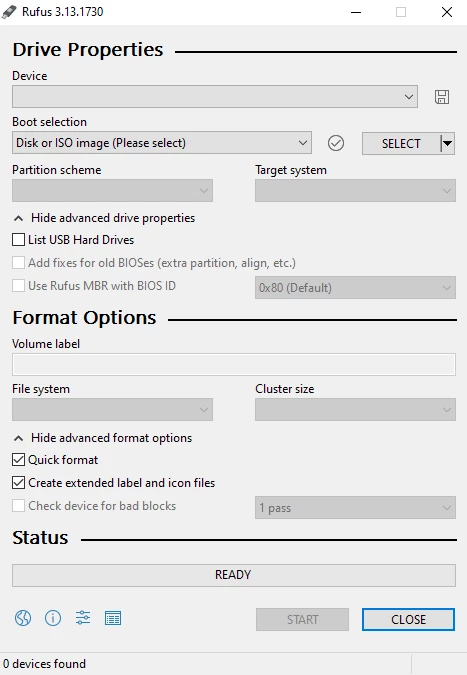
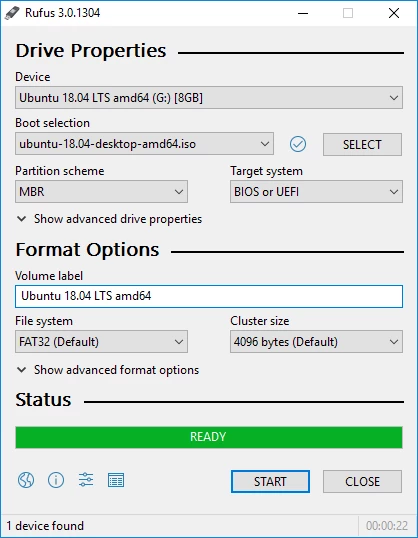
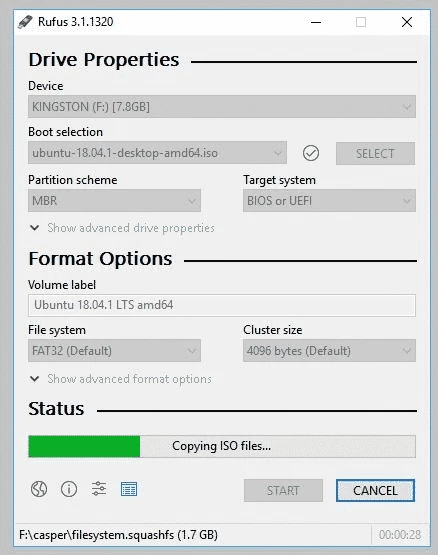
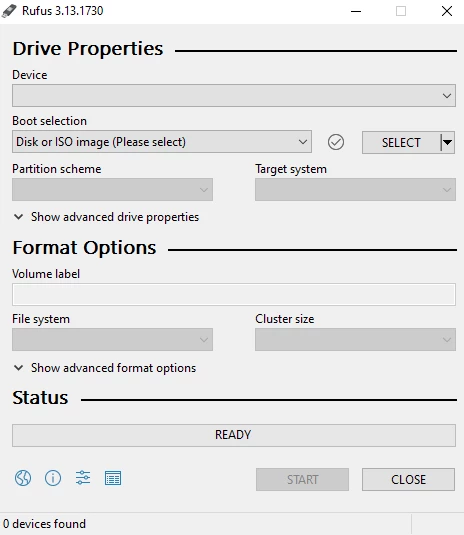
Rufus 4.15 is a free Windows utility for creating bootable USB drives, and it is a tiny download. Pete Batard develops it, and this build is dated 9 September 2026.
You download Rufus for Windows when you need a USB stick that a computer can start from: to install or reinstall an operating system, run a repair tool or test a live system without touching the hard drive.
| Version | 4.15 |
|---|---|
| Size | ≈ 1.89 MB (catalogue data) |
| Author | Pete Batard |
| License | Free |
| Runs on | Windows |
| Updated | 9 September 2026 |
Most people meet Rufus on the day a PC refuses to boot or needs a clean install. You plug in a flash drive, point Rufus at a disk image file, and a few minutes later the drive can start a computer on its own. The program is small, opens instantly and keeps all the options on a single screen: device, boot selection, partition scheme, target system and file system. Sensible defaults are filled in once you pick an image, so beginners can simply press Start, while people who know what they are doing can change every detail. There are no bundled extras, no account and no upsell, which is rarer than it should be among free Windows tools.
Yes, when it comes from rufus.ie, the author's own site. Because the tool writes directly to drives, Windows asks for administrator rights; that is expected. The real risk is choosing the wrong device, so double-check the drive letter and size before you press Start.
Rufus is free to use with no trial period and no paid edition. You can keep it in your downloads folder and run it whenever you need it again.
A Windows PC, a USB flash drive large enough for your image and the image file itself. Rufus is compatible with ordinary USB sticks and most external drives that Windows can see.
Use a flash drive you do not need for anything else during the process, and plug it straight into the computer rather than through a hub. If the target PC is new, keep the partition scheme Rufus proposes; it matches what the image expects. When the drive is ready, the PC usually needs a key press at startup to open its boot menu, and the drive will appear there by its brand name.
Google Play is Google's digital distribution platform. On Windows, Google offers Play content through the browser and Google Play Games on PC.
Media Creation Tool is a free Microsoft utility that downloads Windows and turns it into a bootable USB flash drive or an ISO file.

LDPlayer is an Android emulator for Windows that runs mobile apps and games on a computer.

BlueStacks is an Android emulator for Windows that lets you run Android apps and games on your PC.

PC App Store is a free software store for Windows from Baidu for finding, installing and updating PC programs. This page covers version 5.0.1.8682.
FAT32Format is a tiny free Windows tool from Ridgecrop Consultants that formats large disks and USB drives with the FAT32 file system.

Uptodown App Store for Windows is the desktop client of Uptodown, a marketplace for desktop software and mobile apps. This page covers version 1.0.3.

NoxPlayer is a free Android emulator from Bignox for Windows and macOS that runs mobile games and apps on a computer with keyboard and mouse control.